Free wedding seating chart maker
Seat 200 guests without a spreadsheet. Drag people onto tables, mark who can’t sit together, print the chart and the place cards. Nothing leaves your browser.
Open the free seating plannerNo signup, no email. Unlimited guests on the free plan.
How the seating chart maker works
The whole job is getting a list of names into a shape you can hang by the door. TIKTAK does that and stops: import guests, arrange tables, print the chart.
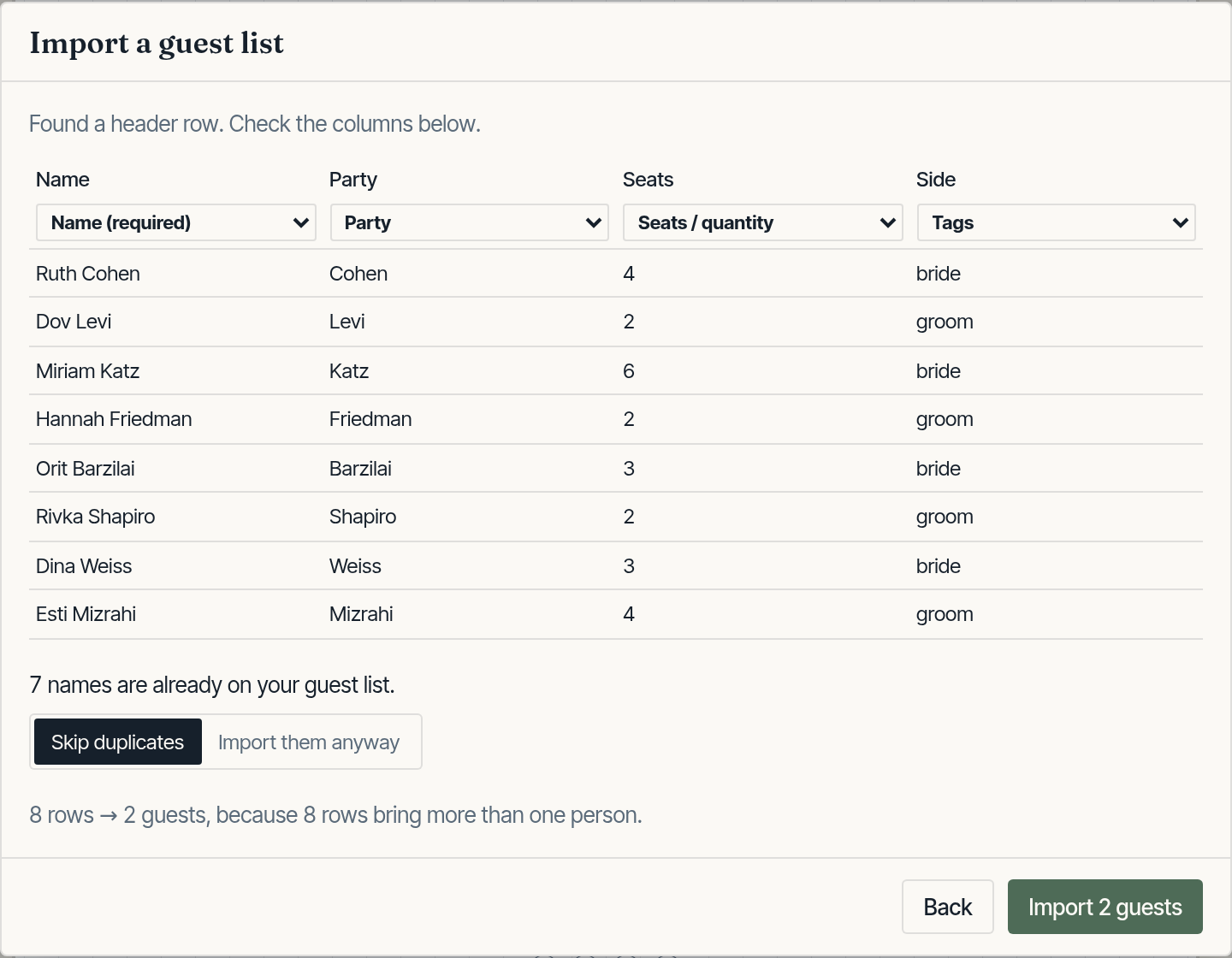
Import your guest list
Copy the columns straight out of Excel or Google Sheets. TIKTAK works out which column is which, expands “Cohen, 4” into four guests, and flags anyone listed twice.
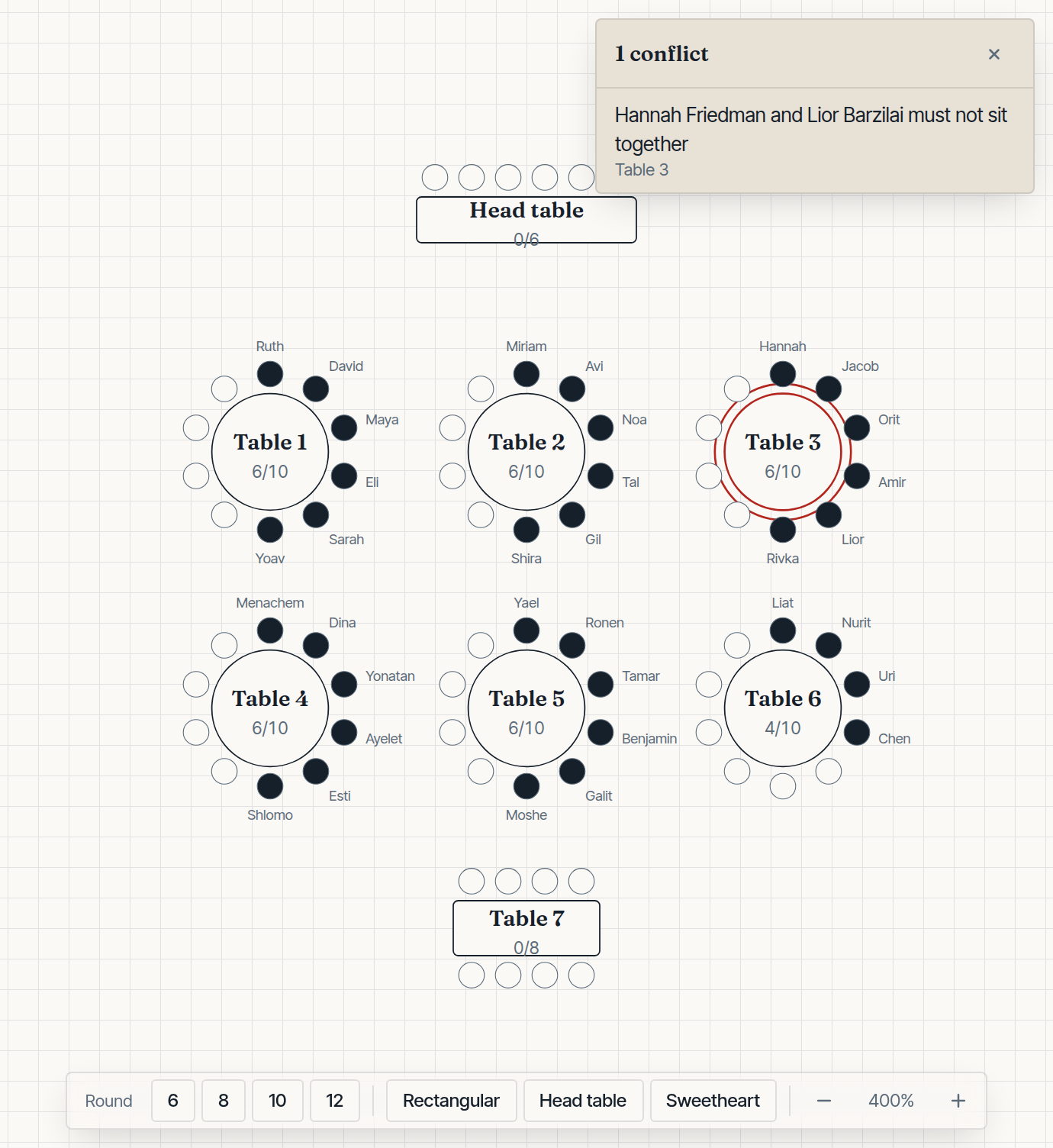
Say who can’t sit together
Two rules — must sit with, must not sit with. A table that breaks one turns red the moment it does, so you find out while you are looking at it.
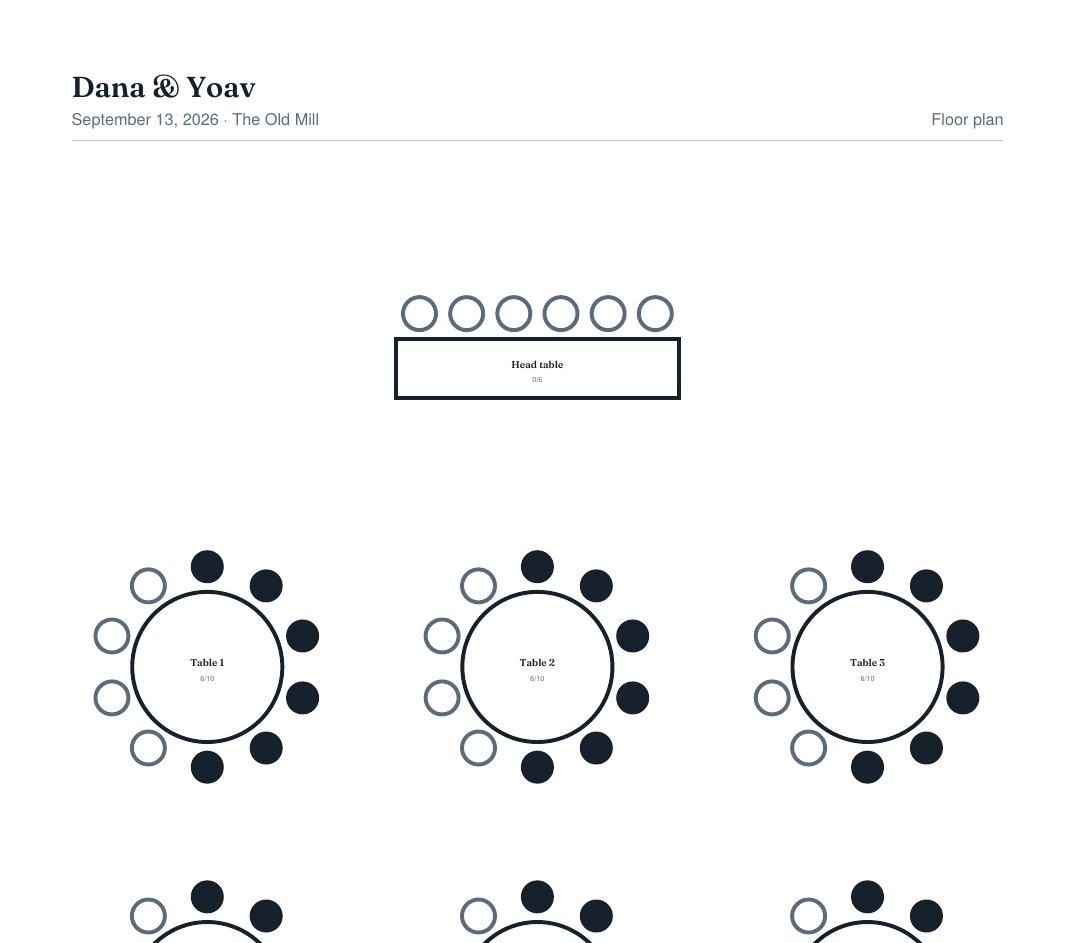
Print the seating chart
A floor plan, a list for every table, and an alphabetical index of every guest with their table number. Real text in a real PDF, sharp at any size.
Who the seating chart maker is for
Same job every time: a list of people, a room of tables, and a printout that does not argue with itself. The event around it can be anything.
Wedding seating charts
Import the RSVP list, keep families together, keep the two cousins apart, and print the chart for the door plus place cards for every seat. Built for 150-person rooms and 400-person ones alike.
Corporate dinners and galas
Seat sponsors with hosts, keep competing tables from colliding, and export a CSV the venue can actually use. No account for the office IT policy to argue with.
Family events and celebrations
Bar mitzvahs, reunions, milestone birthdays. Unlimited guests on the free plan, so you are not paying per head to move Aunt Ruth one seat to the left.
Wedding seating chart guides
The maker arranges the room. These notes cover the decisions it should not invent for you: who sits together, how full a table is, and which printout the venue needs. All seating guides.
Free to plan a seating chart. $19 once to print clean.
The wedding seating chart maker is free forever for guests, tables, constraints, auto-arrange and CSV export. $19 once — not a subscription — for place cards, escort cards, and the full guest list for the door.
Seating chart maker FAQ
Where is my guest list stored?
In your browser, on your own device. There is no account and no server to send it to — TIKTAK has no database at all. The only network requests it ever makes are a licence check when you activate Pro, and a privacy-friendly page counter.
What happens if I clear my browser?
You lose the plan, the same way you would lose an unsaved document. Use Project → Export project file to save a copy you can keep. That file is the backup.
Can I work from two computers?
Yes, through the project file: export it on one machine, open it on the other. There is no live sync, because that would need the server TIKTAK deliberately does not have.
Is this a subscription?
No. $19 once, for good. Planning — guests, tables, constraints, auto-arrange and CSV export — is free and unlimited whether you ever pay or not.
What exactly do I get for the $19?
The things you print and hand out: place cards for every seat, escort cards for the entrance, the complete A–Z guest list, and a chart with no watermark. The floor plan and the per-table lists are free either way.
How many guests can it handle?
Unlimited on both tiers. It is built and tested against a thousand guests, which is well past the point where most venues run out of room.
Does it work on a phone?
You can view a plan and export from a phone. Arranging a room really wants a bigger screen, so on a small one TIKTAK opens read-only rather than pretending otherwise.